
You’re midway through a customer consultation when the business phone rings. Answering means pulling your attention away from the person you’ve set aside time to help. And if a colleague usually covers the phone, they may be busy too.
Something has to give:
Either the call waits, or the customer in front of you does.
It doesn’t have to be either. Virtual reception can add cover around your day, whether you answer calls yourself or already have a receptionist. The right arrangement might involve live people, managed AI for routine calls, or automation you configure yourself.
In this guide, we’ll cover:
- Six providers suited to different small-business situations.
- Options for getting help when you answer personally or need backup for an existing team.
- What to put in a short brief describing the reception work you want handed off.
Let’s start with the providers and where each can help.
Who are the best virtual receptionist providers for live and AI call handling?
As you compare the six options, look at who handles the conversation and what happens next. Taking a message, qualifying a lead and completing a booking leave different amounts of work with your team.
1. Smiledog: Best for scheduling done inside your own booking software
At Smiledog, we do the front desk work that usually gets passed back to you. Our scheduling specialists work inside your calendar system to book, move and cancel appointments, so you get a finished change instead of a message you need to chase. Our 100% Canadian-based receptionists answer your calls and support your clients the way in-house staff would. For after hours, we build and run a custom AI receptionist for far less than it costs to staff those hours.
What can you do with Smiledog?
- Stop being interrupted all day by your phone. Friendly, Canadian-based live receptionists answer your calls and support clients like you do, across more than 70 hours of coverage a week.
- Stop starting your morning with a full voicemail of messages. Hand bookings, cancellations, reschedules and waitlists to our scheduling specialists, who make the changes inside your existing booking system, so the calendar is fixed and not sitting on your to-do list.
- Stop losing clients to unanswered texts and emails. Email, text and live chat are handled by the same receptionists, from one set of account instructions, as an add-on to phone service or on its own.
- Stop sending after-hours callers to voicemail. Use our managed AI receptionist to answer on the first ring, take messages, screen leads, answer common questions and route urgent calls to your team.
- Stop worrying about whether the AI is saying the wrong thing to your clients. We build, train, maintain and monitor it, and measure every call against our 90% QA threshold.
- Stop wondering whether client calls are protected. Our AI receptionist platform is HIPAA and PIPEDA compliant, covering message taking, directions, policies and basic booking.
What are Smiledog’s limitations?
- Our live receptionists work Monday to Friday from 7:30am to 8pm and Saturday from 9am to 5pm EST. After-hours answering needs our AI receptionist add-on, while the free dedicated voicemail emails messages for later follow-up.
- Our AI receptionist answers in English for now, and we’re working on French and Spanish, so it can’t yet serve callers who need those languages.
- Custom API scheduling is a paid add-on.
How does Smiledog’s pricing work?
Virtual Reception starts at $199/mo on an annual contract and Reception + Scheduling at $259/mo, each with 100 minutes included. The after-hours AI add-on starts at $99/mo on an annual contract with 100 minutes, and custom API scheduling adds $69/mo.
Minutes are tracked by the second and include talk and wrap-up time, spam is never charged, and your rate steps down as your minutes rise. Plans run month to month or annually, with a 60-day risk-free trial on annual contracts, and setup is quoted upfront.
The bottom line
Choose Smiledog if you’re tired of the front desk work that keeps landing back on you. Our scheduling specialists book, move and cancel appointments inside your own booking system, so you get a finished result instead of a task you have to chase. Our 100% Canadian-based receptionists answer your calls throughout the day while our managed AI receptionist covers you after hours. We build, monitor and maintain it, so you have nothing to worry about. We’ll customize everything upfront to handle calls the way you need them done and ensure our team becomes a trusted partner rather than an expense you pay every month.
2. Ruby: Best for live Spanish-speaking receptionists
Ruby provides live receptionists who can take calls in Spanish or bilingually as well as in English, for businesses whose callers don’t all speak English. Its reception plans share one feature set, so the main difference between them is how many receptionist minutes you get.
What can you do with Ruby?
- Offer callers Spanish or bilingual handling around the clock.
- Have live receptionists answer calls 24/7, including after hours, on weekends and on holidays.
- Capture lead details and run intake so your team has context before returning an inquiry.
- Book appointments and have receptionists place outbound follow-up calls for you.
- Collect payments from callers as part of the reception service.
- Use HIPAA-compliant receptionists when calls involve patient information.
- Add managed live chat so people handle your website inquiries too.
What are Ruby’s limitations?
- The entry plan includes 50 receptionist minutes, so frequent or longer calls can push you past the starting allowance.
- Ruby’s plans page doesn’t list a rate for minutes beyond the allowance, so the cost of going over isn’t visible upfront.
- Website chat is priced separately from voice minutes, so calls and chat don’t draw on one shared allowance.
- Ruby’s plans don’t include a separate AI receptionist, so routine questions take receptionist minutes like every other call.
How does Ruby’s pricing work?
Ruby starts at US$250/mo for 50 receptionist minutes, and 100 minutes cost US$395/mo. Every reception plan includes the same features, including scheduling and bilingual handling, and there are no activation, onboarding or setup fees. Chat starts at US$143/mo for 10 chats, or US$115/mo when bundled with reception. Applicable taxes are extra, and credit-card payments carry a 3% surcharge.
The bottom line
Ruby is the natural pick when a meaningful share of your callers speak Spanish and you want a live person, not a phone menu, handling those conversations. Its receptionists can also book appointments, place follow-up calls and collect payments, and every plan carries the same features, so your choice comes down to how many minutes your calls use.
3. Smith.ai: Best for paying per call instead of per minute
Smith.ai prices both its human-first reception and its separate AI receptionist by the call rather than by the minute. Its set intake questions and CRM handoff help when your team needs new inquiries screened and recorded before anyone follows up.
What can you do with Smith.ai?
- Screen and qualify leads with North America-based receptionists who answer 24/7.
- Gather new-client details through five short-answer intake questions, with extended intake available per call.
- Send captured inquiries to your CRM, with the first integration included and support for HubSpot, Salesforce, Clio and others.
- Add appointment booking, payment collection or text and email follow-up as per-call services.
- Give Spanish-speaking callers a dedicated Spanish line, or bilingual English and Spanish handling on the AI receptionist.
- Run a separate AI receptionist with warm transfers and scheduling, and test it against simulated calls before it goes live.
- Have Smith.ai’s team build and run a custom AI setup through its full-service option.
What are Smith.ai’s limitations?
- Booking, follow-up, payments and extra CRM connections carry per-call charges on human reception, so the base call allowance doesn’t cover every task.
- Human-first tiers include one, two or ten transfer destinations, so routing calls to more colleagues can change the tier you need.
- Managed AI setup and ongoing optimization come only with the full-service option, so the self-serve AI plan leaves the configuration work with you.
How does Smith.ai’s pricing work?
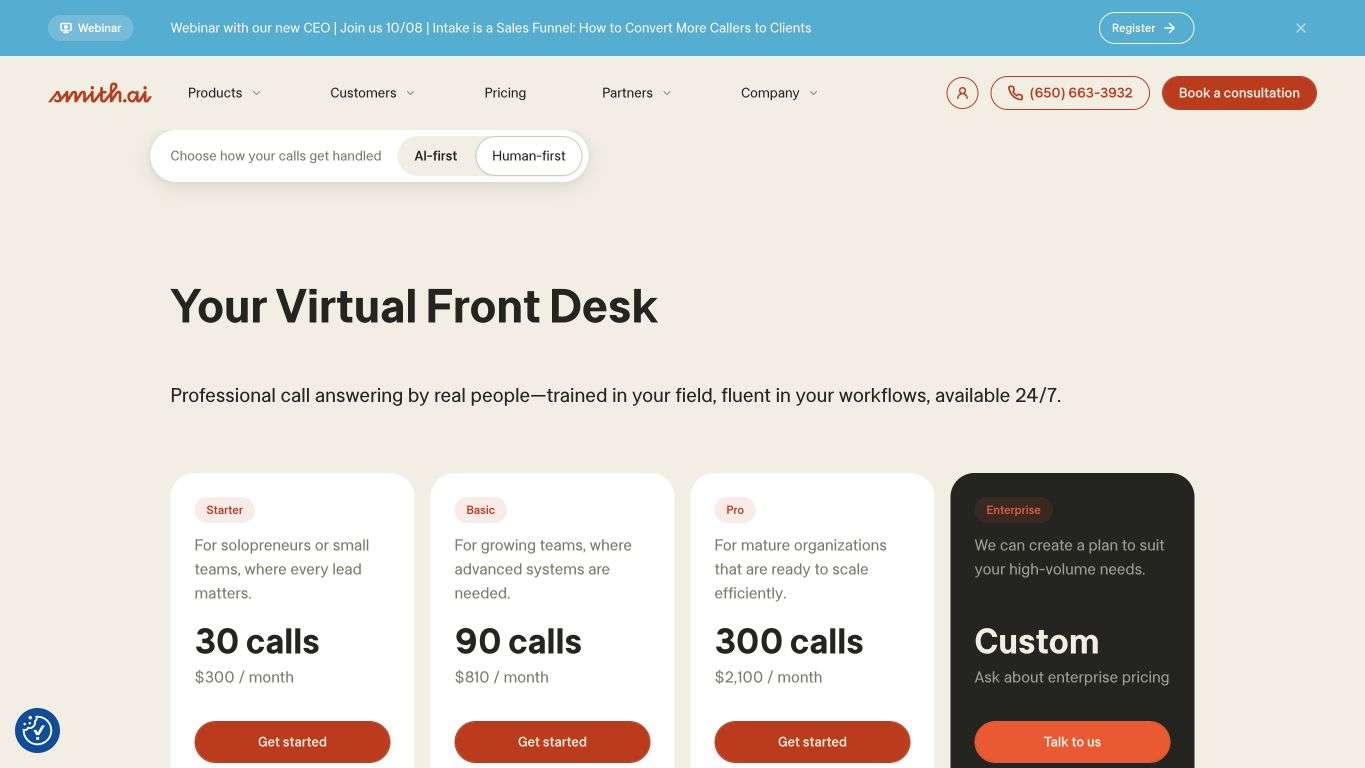
Smith.ai’s human-first reception starts at US$300/mo for 30 calls with one transfer destination, then US$11.50 for each extra call, plus per-call extras such as US$1.50 to book an appointment, with no setup fee and a 30-day money-back guarantee. Its AI receptionist is priced separately, from a free plan for 25 calls to US$150/mo for 75 calls self-serve or US$500/mo for 300 calls with full-service setup. Escalations the AI starts itself carry no fee, while optional live-agent involvement is a per-call add-on.
The bottom line
Smith.ai is a strong choice when per-call billing suits your calls better than a minute allowance, for example when conversations run long but don’t come often. Its intake questions and CRM handoff come with either live receptionists or the separate AI receptionist, and the full-service AI option covers the setup if you’d rather not build it yourself.
4. AnswerConnect: Best for a fully human service from start to finish
AnswerConnect runs an entirely human service, with real people answering around the clock and a pledge to keep every customer interaction human. Scheduling software, CRM integration and call recordings come included in its plans, so a person handles each conversation from the first hello to the booked appointment.
What can you do with AnswerConnect?
- Have real people answer your calls 24 hours a day, 365 days a year.
- Have appointments booked directly into your calendar with free scheduling software, included at no extra charge.
- Have people handle website live-chat inquiries as well as phone calls on plans above the entry tier.
- Connect the tools you already use through included CRM integration, with instant notifications.
- Review call recordings, with up to three business phone numbers included.
- Add paid options such as live operator relay, outbound follow-up, Spanish call answering, call transcriptions or HIPAA compliance.
What are AnswerConnect’s limitations?
- Billable minutes include the after-call work to process each call, so talk time alone understates the minutes you use.
- Because a receptionist handles every call, routine questions and simple bookings use billed minutes just like complex calls.
- Requests an automated layer could settle instantly, such as opening hours, wait for a receptionist’s time and processing like every other call.
- HIPAA compliance is a paid add-on that can’t be reversed once added, so healthcare call handling costs extra.
How does AnswerConnect’s pricing work?
AnswerConnect doesn’t list pricing on its website, which routes you to a quote form, but its downloadable US pricing guide (PDF), dated September 2025, does. The entry plan there is US$350/mo for 200 minutes, with a US$49.99 setup fee and US$2.50 for each additional minute, while the US$395/mo plan for 300 minutes adds live chat. Paid add-ons include live operator relay and HIPAA compliance at US$40/mo each, Spanish call answering from US$30/mo and outbound follow-up from US$20/mo. Plan minutes count after-call work as well as talk time.
The bottom line
AnswerConnect fits when you want every caller to reach a real person, from the first hello to the booked appointment. Its strength is committing to that human approach around the clock, 365 days a year, with scheduling software, CRM integration and call recordings included rather than sold as extras.
5. PATLive: Best for taking orders and event registrations by phone
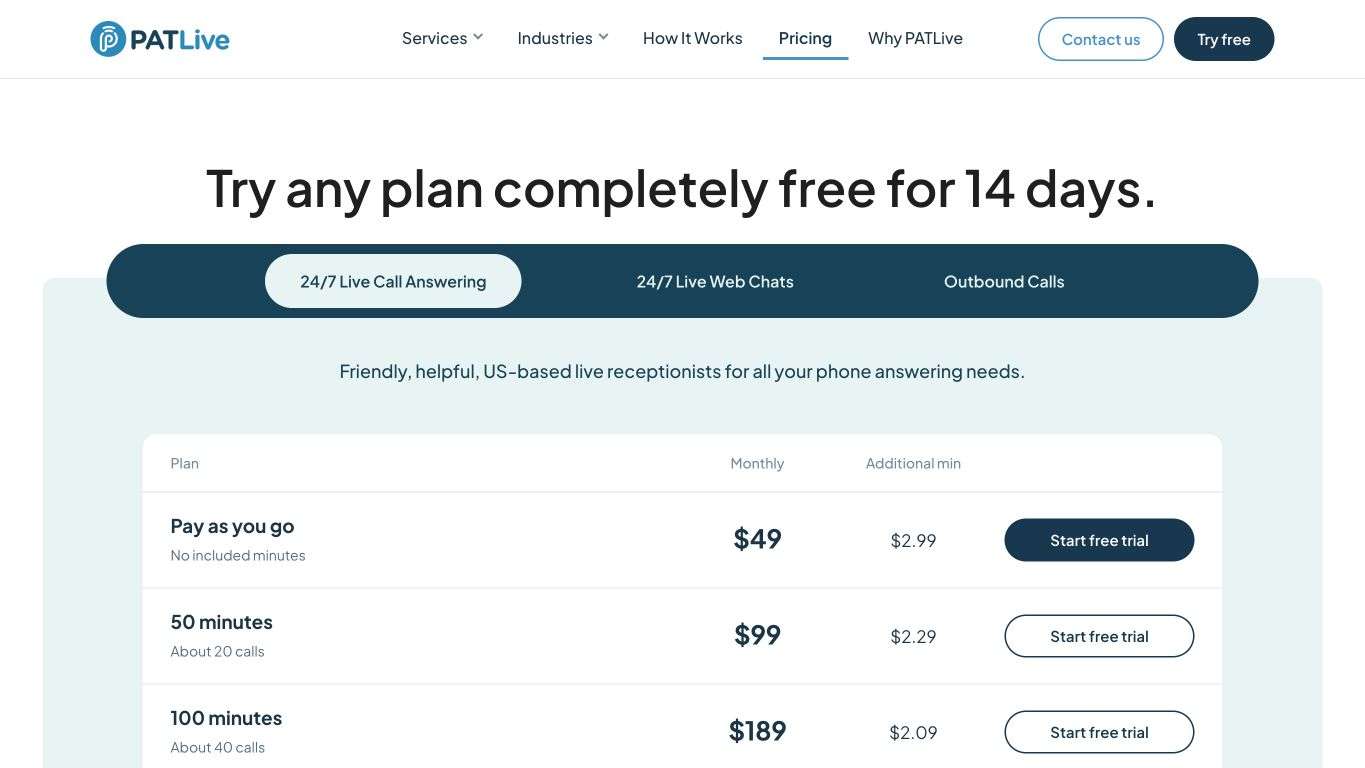
PATLive’s US-based receptionists answer calls 24/7/365 with no AI, and its workflow goes beyond messages to taking orders, sales requests and event registrations. Pay-as-you-go and included-minute options let you send it every call or only the ones your team can’t take.
What can you do with PATLive?
- Have US-based receptionists answer calls 24/7/365, each trained for over 120 hours before their first call.
- Take orders, sales requests and event registrations, and book appointments, within its supported workflow.
- Screen and transfer calls, take messages and collect lead and new-client intake details.
- Arrange emergency dispatch so urgent calls reach the right person at any hour.
- Serve callers in English or Spanish at no extra charge, with a free auto attendant to choose the language.
- Send calls by forwarding or ring-no-answer rollover so PATLive picks up only when your team doesn’t.
What are PATLive’s limitations?
- Pay-as-you-go includes no minutes, so every handled call is billed on top of the monthly base.
- Time callers spend on hold counts toward billed minutes, so long holds add to your usage.
- Live chat and outbound calls run on separate plans, so adding either means another usage charge.
- PATLive doesn’t use AI answering, so routine questions take receptionist minutes like every other call.
How does PATLive’s pricing work?
PATLive’s pay-as-you-go option charges a monthly base plus a per-minute rate with no minutes included, while packages with included minutes start at 50 minutes/month and lower the extra-minute rate as they grow. Minutes are billed in six-second increments with a one-minute minimum, after-call notes and wrap-up aren’t billed, and taxes and fees are extra. There are no contracts, and any plan can be tried free for 14 days. Occasional calls don’t automatically make pay-as-you-go cheaper, especially if those conversations tend to run longer.
The bottom line
PATLive is a good match when customers phone in to place orders or sign up for events and you want trained people taking those details down. Because after-call notes and wrap-up aren’t billed, you can match the plan to how long those calls actually run.
6. Frontdesk: Best for setting up your own AI receptionist
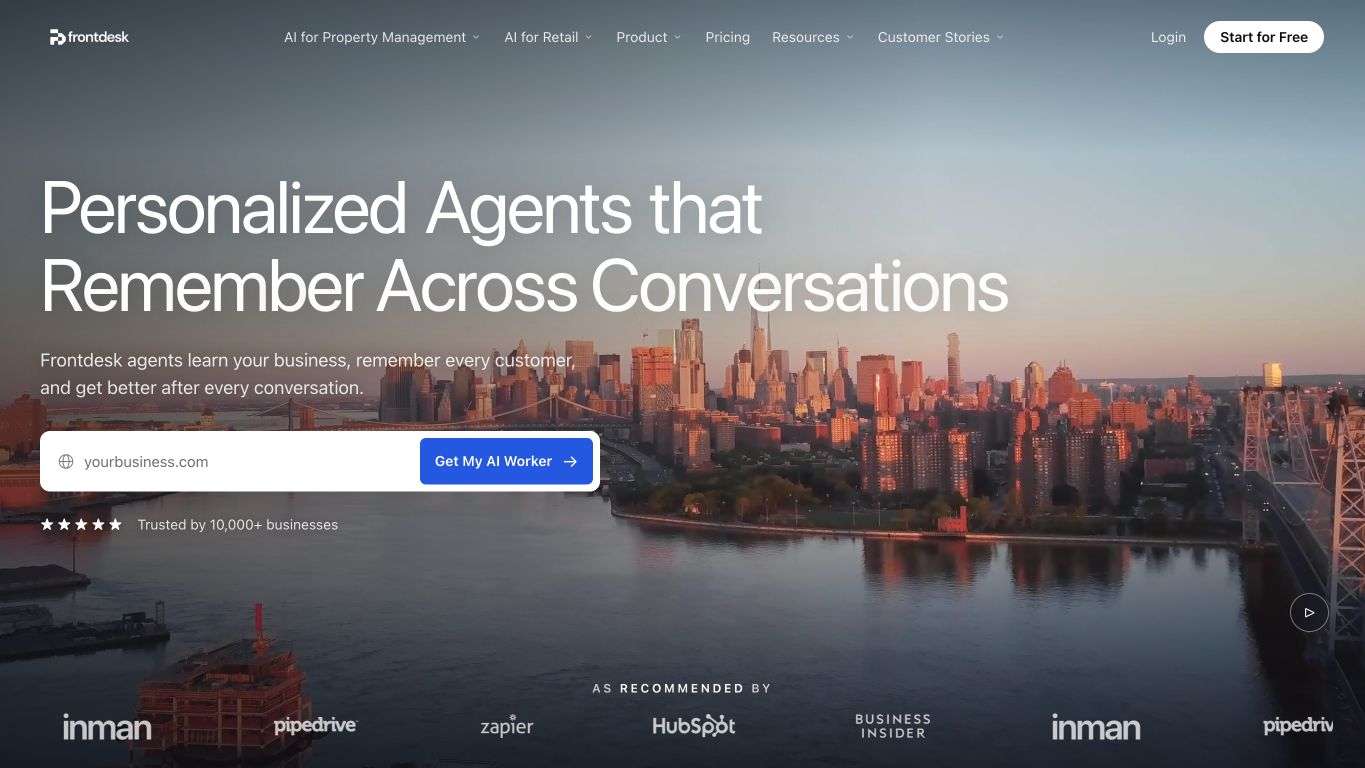
Frontdesk, also known as My AI Front Desk, uses one AI to talk with customers across voice, SMS, WhatsApp, email and chat. You point it at your website and documents, then set where requests go next.
What can you do with Frontdesk?
- Automate calls with voice AI that answers, qualifies leads and books appointments without a person on the line.
- Handle SMS, WhatsApp, email and website chat with the same AI that takes your calls.
- Build the knowledge base from your website and documents, and test the setup against simulated scenarios before launch.
- Manage customers in the included AI CRM, with ticketing, sequence automations and Zapier.
- Book, reschedule and follow up on no-shows within a supported calendar workflow.
- Handle sensitive conversations under HIPAA compliance, with signed BAAs, encryption and strict access controls.
- Add API access, custom integrations and white-glove onboarding through Partner or Enterprise options.
What are Frontdesk’s limitations?
- The entry plan has no live receptionists, so requests that need a person depend on the receiving route you configure.
- Managed onboarding comes only with Partner or Enterprise, so on the entry plan you build and maintain the setup yourself.
- Extra voice, SMS and chat use draws on one auto-reloading credit pool, so watching call minutes alone can miss added usage.
- The entry plan allows 20 knowledge-base pages and keeps the last 200 logs, so larger knowledge bases or longer histories fall outside it.
How does Frontdesk’s pricing work?
Frontdesk’s entry plan is US$99/mo on monthly billing, or US$79/mo billed annually, with 200 voice minutes, 400 SMS and 100 chatbot conversations a month and a 7-day free trial. Extra voice use takes 25 credits a minute from a monthly 1,000-credit overage pool that SMS and chat draw on too, so the extra voice time you get depends on how much you use those channels. Partner and Enterprise pricing is custom.
The bottom line
Frontdesk fits when you’d rather set up an AI receptionist yourself and want one system answering calls, texts, email and chat, with customer records and follow-up in the same place. A lot is automated on the entry plan, and Partner or Enterprise support adds deeper integrations and hands-on onboarding.
What do you need your virtual receptionist to handle?
Six providers means six different ways of handling the work. The right one for you depends on the requests you want taken off your team’s hands and what a finished request looks like. A short service brief makes that concrete.
Your brief should name the requests, who handles them, what happens next and how much reception work you expect in a normal month. The four situations below each fill in part of it.
When calls interrupt paid work or existing staff need backup
Start with the moments when you need cover. You might be in an appointment, your crew might be on a job, or your receptionist might already be speaking with someone. Interruptions pull attention away from customer work, but the help you need may be limited to particular calls or times of day.
What should reception handle during those gaps?
List the requests you’d like to pass over, such as:
- Routine questions that can be answered from your instructions.
- Messages and new-customer details for your team to follow up.
- Appointment requests that need an agreed booking or message-taking process.
Then decide whether to forward all incoming calls or selected overflow, where messages should go and which hours need cover. Busy periods and staff absences can call for backup while your existing team keeps primary responsibility for reception.
Your brief should make the trigger clear, whether it’s an unanswered call, a busy line or an agreed coverage window.
When you want live conversation or help managing AI
Choose who will handle the conversation, then decide who will keep the service working as your business changes. Live receptionists speak with callers. AI can answer routine questions and route requests using configured information. The people who build and maintain that AI perform a different job.
Managed setup doesn’t automatically mean a live person takes over a difficult call.
For example, an AI receptionist could answer a question about opening hours, while a specialist question needs a named person on your team. Your brief should say who receives unfamiliar or urgent requests, who follows up if a transfer fails and who updates the answers when your information changes.
Several providers offer help with the setup. Smith.ai pairs human-first reception with a separate AI receptionist and a full-service AI option. Frontdesk’s entry plan is self-configured, with onboarding support at Partner or Enterprise level. At Smiledog, Canadian receptionists cover live hours, and we build and maintain a managed AI receptionist for after hours. When our AI isn’t sure what to do, it routes the call to your team or captures it as a high-quality message.
Write down whether an exception goes to the provider’s live agent or your staff. Those arrangements put responsibility in different hands.
When a booking or transfer has to reach the right person
Start with what should happen when a caller wants an appointment. Reception might take a message, send a scheduling link or change availability in your calendar. Be specific about which result you need.
Can the service complete the calendar action?
Your brief should name your scheduling system and three test requests:
- A new booking for an available time.
- A cancellation or reschedule for an existing appointment.
- A question that needs a qualified colleague before a booking can proceed.
AnswerConnect’s plans include free scheduling software that books appointments directly into your calendar. At Smiledog, our scheduling specialists work in your existing booking system, since we integrate with most major calendar systems, and we offer human reception for Jane App clinics. Our AI receptionist can book into any scheduling software through an open API or our custom API scheduling add-on, including systems without an open API. Each arrangement needs the right access and permission to make the changes you expect.
Transfers deserve the same attention. Name the receiving people, after-hours destinations and fallback when no one answers. Smith.ai’s transfer-destination thresholds show why adding more recipients can change the offer you need.
When the starting price doesn’t cover your actual usage
A fair comparison prices the same workload under each billing model. Your brief should include your call count, typical handling time and the booking, follow-up or written inquiries you want handled. Ruby’s receptionist minutes and Smith.ai’s calls measure usage differently, and a 50-minute allowance won’t translate into a fixed number of calls.
The comparable cost depends on:
- The base charge and included usage, especially when comparing PATLive’s zero-minute option with a minute allowance.
- How handling time is counted, since AnswerConnect’s billed minutes and ours include after-call work while PATLive doesn’t bill wrap-up.
- Added tasks and channels, such as booking, follow-up, more transfer destinations or text and chat usage that draws on Frontdesk’s shared overage credits.
- Overage charges, configuration work, billing commitment and any taxes or fees.
The useful number is the cost of handling your expected requests. With the same work described for every option, you can see what you’re paying to delegate and what your team will still do.
Why 500+ businesses trust Smiledog with their front desk
Whatever your brief says, appointment requests still need someone to finish the work while you and your team are busy with customers. A reschedule left as a message means another callback and a calendar change waiting for your attention.
With Smiledog, our scheduling specialists can complete that change during the call.
Smiledog is trusted by over 500 businesses like yours as a full suite front desk service. Our specialists work inside your own booking system, our 100% Canadian-based receptionists cover live hours, and our managed AI can answer after hours. Jana Veltheim’s Align Massage and Therapy has relied on our reception team for 4.5 years, with 8,212 appointments booked.
With Smiledog, you can:
- Have bookings, cancellations, reschedules and waitlists handled in your existing system so calendar work doesn’t keep landing back on you.
- Keep working with customers while Canadian-based live receptionists handle calls and messages through more than 70 hours of coverage every week.
- Give after-hours callers first-ring answering from a managed AI receptionist that we build, train and score against the same 90% QA bar as our human team.
- Keep email, text and live chat inquiries moving while you’re occupied, with the same team following one set of instructions.
- Start with transparent, usage-based pricing and a 60-day risk-free trial on annual contracts.
Bring the calls, messages, calendar tasks and staff handoffs from your brief to a consultation with Smiledog, and we’ll show you how we’d cover them around your working day.
More questions about virtual reception for small businesses
Reception help has to fit your existing phone setup and the people already doing the work. These two questions address how support can sit alongside what you have.
Can you keep your existing business number?
Yes, if your phone service supports the forwarding setup you need. Call forwarding can send calls from your existing business number to a reception service, including when calls go unanswered. The available setup depends on your current phone service and the reception provider.
Some forwarding options send every call, while others send only the calls you don’t answer, so you may be able to forward selected calls while continuing to answer others yourself.
Do you need to replace your existing receptionist?
No. You can keep your receptionist as the first point of contact and arrange support for chosen overflow calls or staff absences. Your team can retain its usual responsibilities while backup covers the situations you’ve agreed.
A clear arrangement sets the forwarding window, where messages go and which requests stay with your staff, so everyone knows what they’re responsible for.
All provider context in this resource is based on information available as of Oct 2026. Product details, pricing and availability may change.
Sources:
- https://www.ruby.com/plans-and-pricing/
- https://www.ruby.com/terms/
- https://smith.ai/pricing/receptionists
- https://smith.ai/pricing/ai-receptionist
- https://assets.answerconnect.com/answerconnect/us/pdf/AnswerConnectUS_Pricing.pdf
- https://www.answerconnect.com/help-center/billing/how-are-my-minutes-calculated-for-billing/
- https://www.patlive.com/pricing/
- https://www.patlive.com/why-patlive/
- https://www.myaifrontdesk.com/
- https://www.myaifrontdesk.com/pricing